Legal Hold Terminology
The Focus legal hold feature helps your organisation securely preserve call recordings when they are needed for legal, regulatory, or internal investigations. When a recording is placed on legal hold, it is protected from retention expiry, ensuring the original data remains intact for as long as required.
Legal holds safeguard recordings from any automated retention policies even if a recording reaches the end of its normal retention period. The recording will remain securely stored until all associated legal holds are released. This reduces the risk of data loss and supports your organisation’s compliance and preservation obligations.
Multiple legal holds can be applied to a single recording simultaneously, allowing you to manage overlapping investigations without disruption. Each hold is tracked and resolved independently, giving you flexibility and control as matters conclude at different times.
Legal Hold also improves discovery and operational efficiency. Team members with the appropriate permissions can easily apply, identify and locate recordings on legal hold, reducing time spent searching for critical data and simplifying audit or investigation workflows.
By providing strong preservation controls, visibility, and audibility, Legal Hold supports responsible data governance and gives you confidence that sensitive call recordings are protected and handled in line with legal and compliance requirements.
Legal Hold Screen
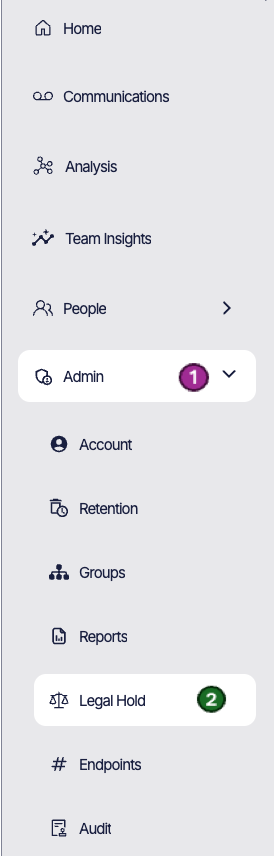
The legal hold screen (2) is accessible via the Admin menu (1) in the left hand bar and is comprised of a number of sub sections. This page is designed to help you manage any legal holds which are currently active.
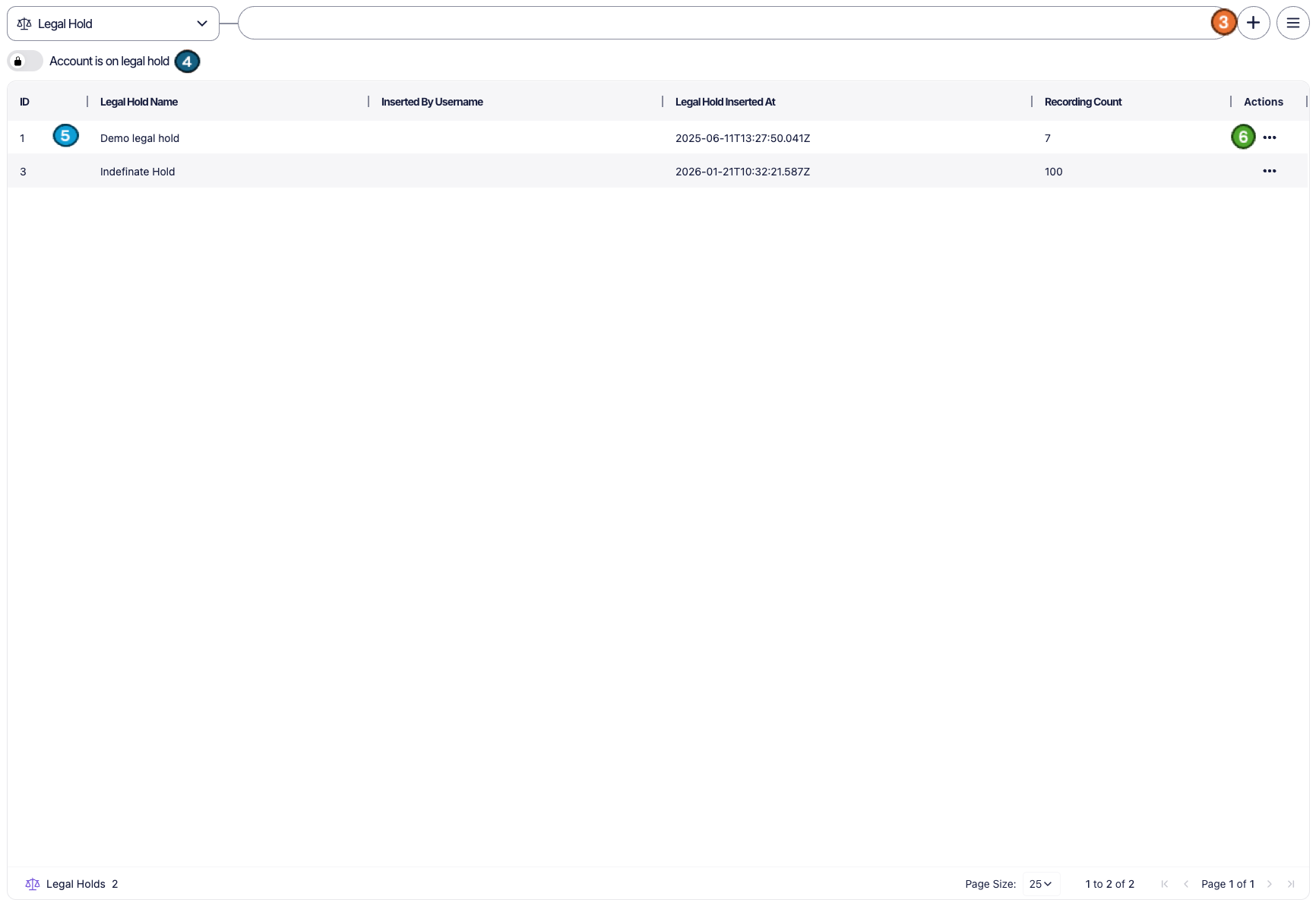
1 - Create new Legal hold - To create a new legal hold, click the “+” icon (3) in the top-right corner of the screen. Enter a name for the legal hold in the pop-up window and confirm to create it. Once created, the legal hold will be available to associate with relevant recordings.
2 - Account Legal hold - The account legal hold toggle allows you to apply a legal hold to your entire account by enabling the toggle (4). When enabled, all recordings are protected from retention expiry. This ensures that original data is preserved and cannot be deleted for as long as the hold remains active.
3 - Open legal holds - All active legal holds within your organisation are displayed in a grid on this page in the legal hold grid (5). For each legal hold, you can view:
• The Name of the hold
• The User who created it
• The Creation date and time
• The Number of recordings currently associated with it
This overview provides quick visibility into all ongoing holds.
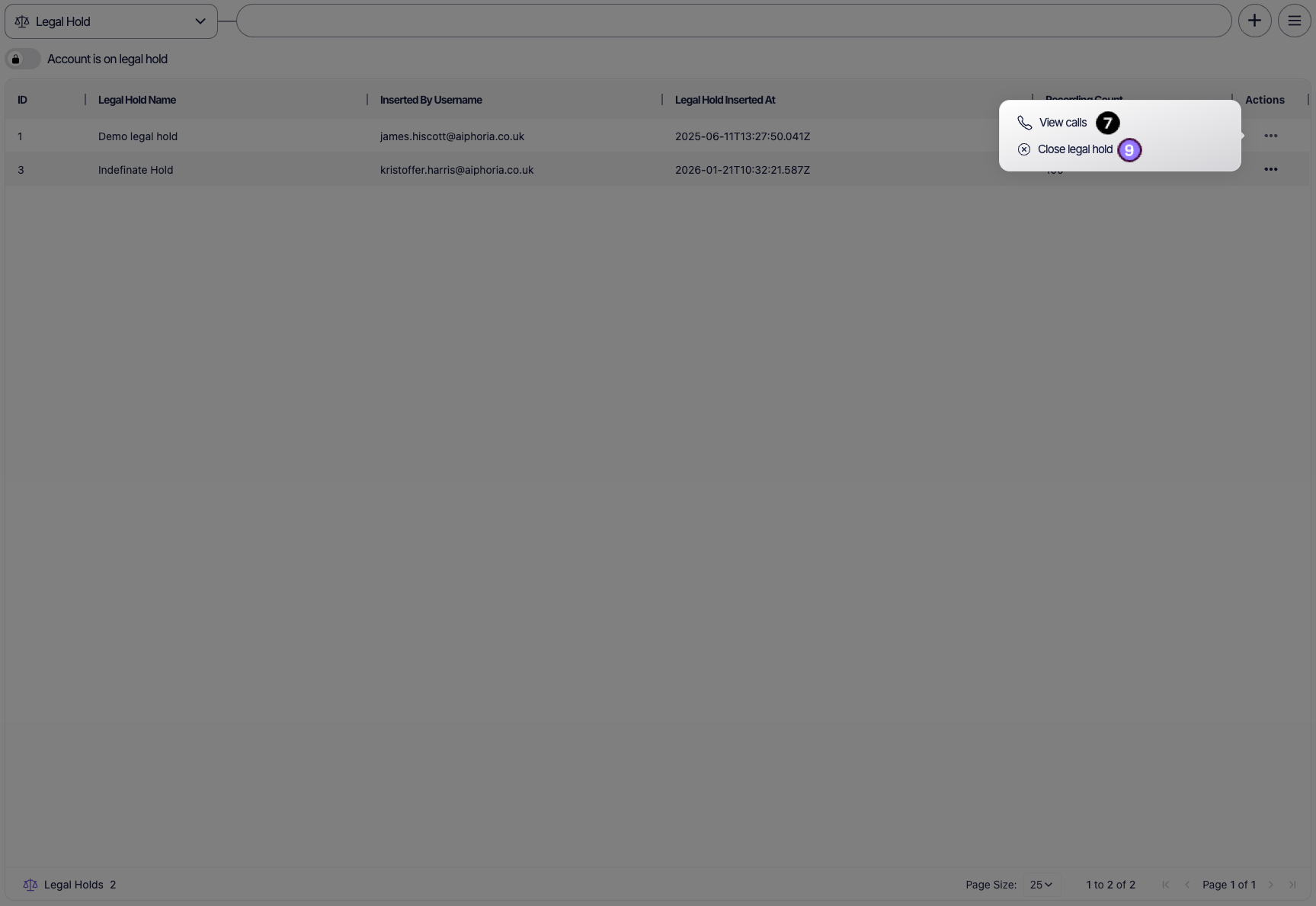
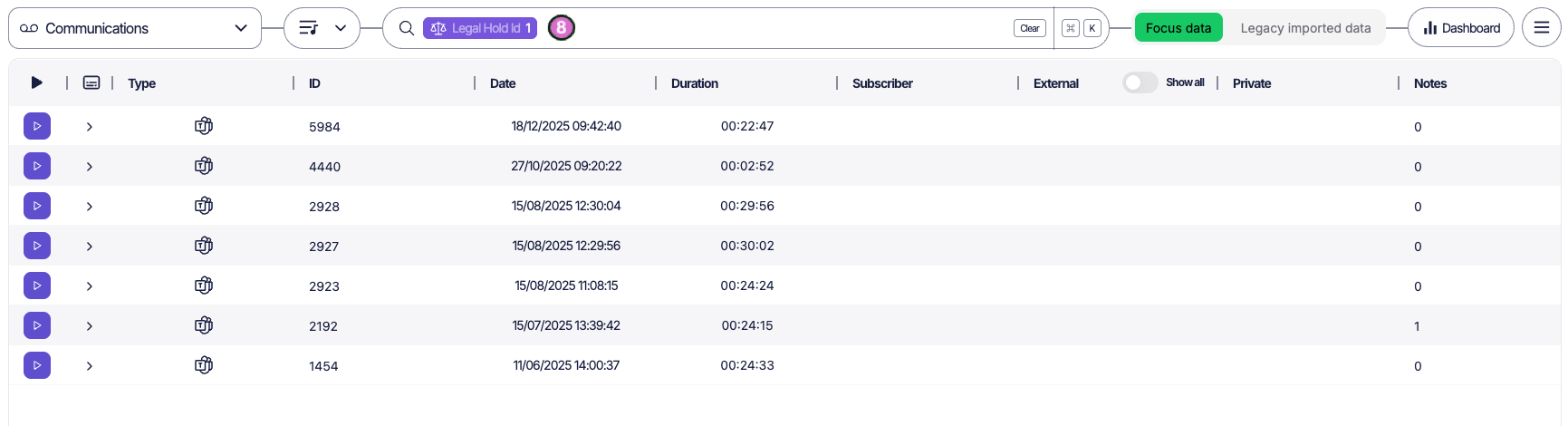
4 - Legal hold actions - Each legal hold is manageable by the actions menu (6). Depending on your permissions, you can:
• View associated recordings that are subject to the legal hold (7,8)
• Close the legal hold once the related audit, investigation, or review process has been completed (9)
Applying Legal Holds to Recordings
You can apply a legal hold directly to recordings from the Communications screen (1). This allows you to quickly preserve specific communications without navigating back to the Legal Hold management page. Or use the Focus enhanced filtering (2) to narrow down the list of communications. Filters can be used to refine results by criteria such as date range, users, call direction, duration and many more. This helps you quickly identify the exact recording(s) that need to be preserved. Once the filters are applied, the results grid will update to display only the communications that match your selected criteria.
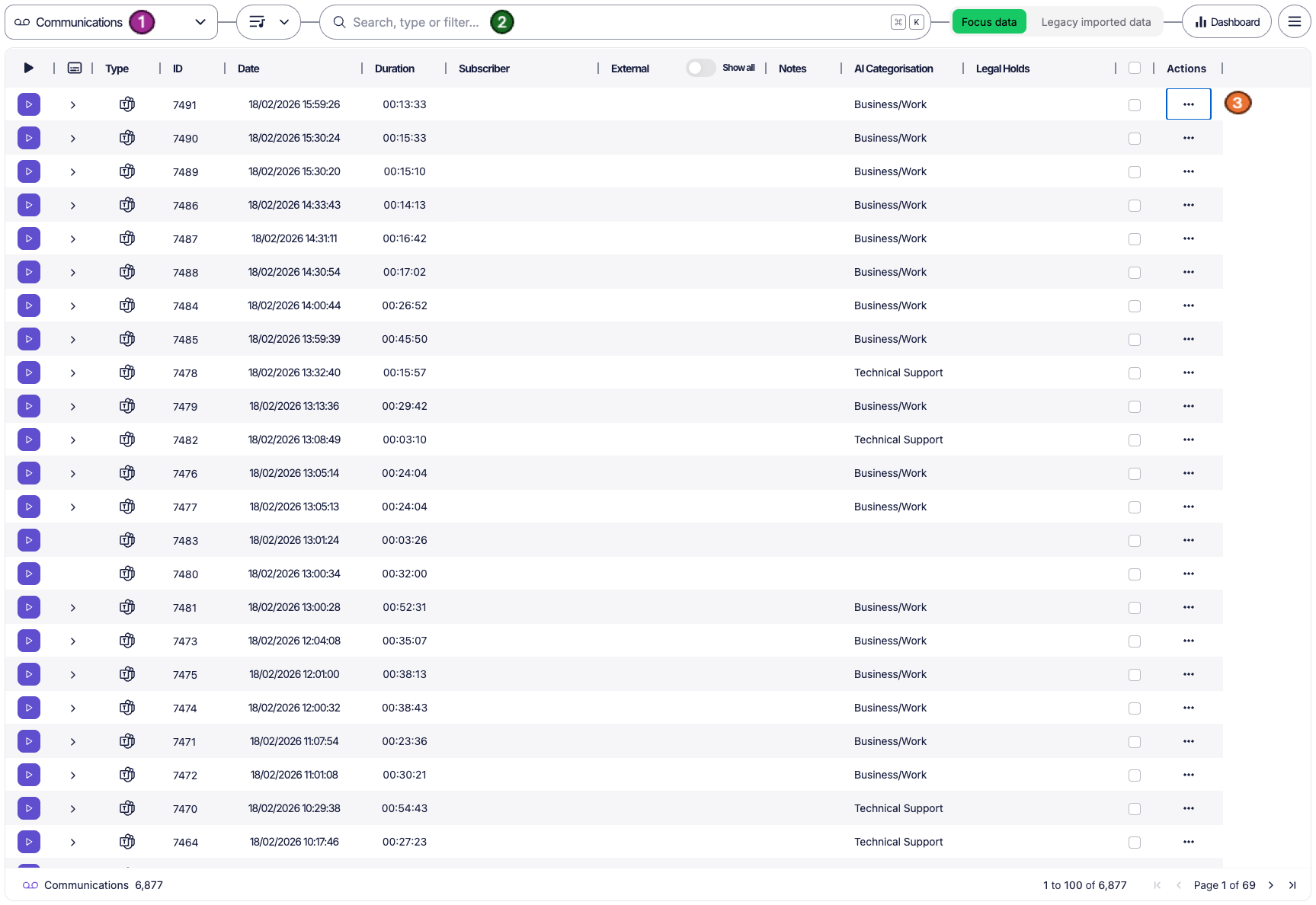
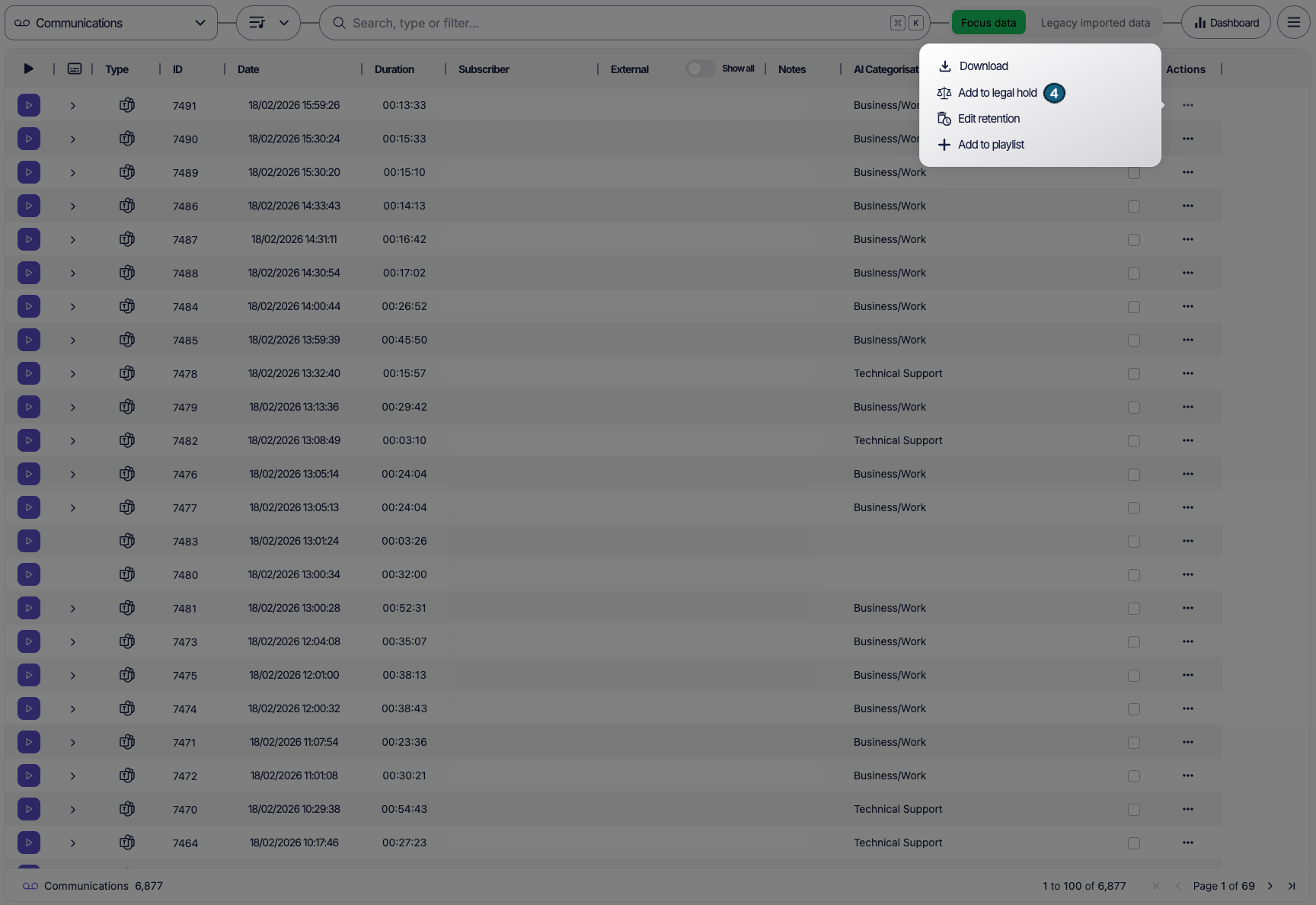
When you have identified the recording you want to protect, click the Actions button (3) associated with that entry. From the actions menu, select “Add to Legal Hold” (4)
A confirmation pop-up window will appear. Within this window, you will see a dropdown list (5) displaying all currently open legal holds available within your organisation.
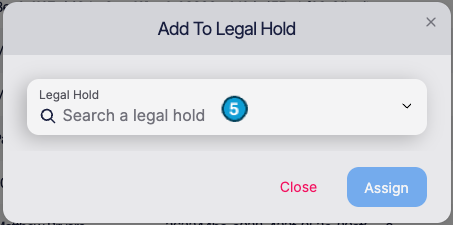
Select the appropriate legal hold from the list and confirm your selection.
Once confirmed:
• The communication will be immediately associated with the selected legal hold.
• The recording will be protected from retention expiry policies, ensuring the original data remains intact for as long as required.
• The legal hold record count will update accordingly within the Legal Hold grid.
The recording will remain preserved until the legal hold is formally closed by a user with the appropriate permissions.