General
The general section allows you to see your base account information.
Account Details
This section can be very helpful for troubleshooting or when talking to the Focus support team. It also allows you to confirm some details about your account and billing information.
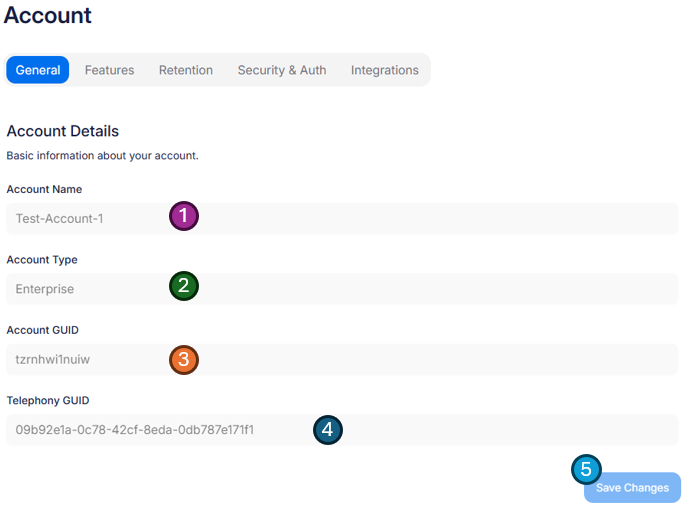
- Account Name - This is the name of your account. A friendly name that will allows the Focus support team to confirm they are assisting with the correct account. Also, if you have access to more than one account, it allows you to make sure changes are being made in the correct account.
- Account Type - Sometimes called a SKU, this is the type of your account. This has a direct effect on the options you have available within the Focus portal and your billing.
- Account GUID - A globally unique short account code. This is a slightly less friendly way to confirm what account you are currently looking at; however is very helpful for any support requests or API access.
- Telephony GUID - A globally unique code that links any telephony recording with your account. This code is used to tag all communications for your instance and is linked directly to your accounts encryption process, to ensure all communications are protected and only available within this Focus portal and database.
- Save changes - This save button is not relevant on this screen as the data is read-only, however if you have made changes on other tabs, it will become enabled, allowing you save all your progress.